
How do I work out which channel actually produced revenue rather than just took the last click?
When tools operate in silos, each platform claims credit for the same customer, and last-click metrics unfairly flatter whichever channel touched the buyer immediately…
About this answer — Produced by our own assistant on 23 September 2026 from our published documentation. The pages it drew on are linked under the answer. It is generated text, not a statement from a person — where it and a linked page disagree, the page is right.
Answer
When tools operate in silos, each platform claims credit for the same customer, and last-click metrics unfairly flatter whichever channel touched the buyer immediately before purchase. HeadshotMarketing[1] addresses this by uniting campaigns, ads, email, social, and CRM data on a single customer timeline.
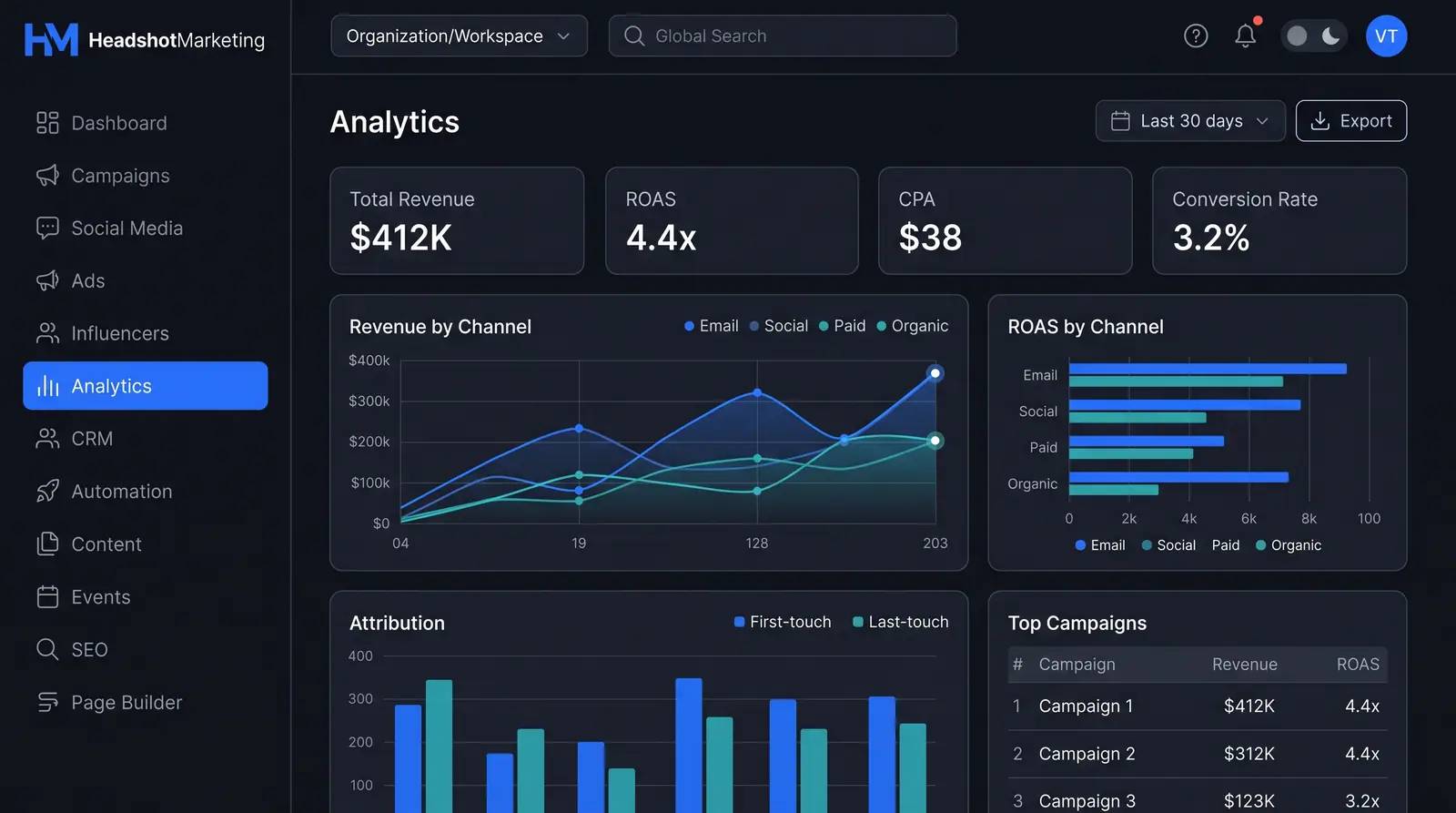
To see which channels genuinely drive pipeline, HeadshotMarketing provides dedicated multi-channel attribution and analytics in its Attribution Analytics and Reports[2] module. The analytics dashboard includes an Attribution chart that places first-touch and last-touch credit side by side as grouped bars. This comparison allows you to separate the discovery channels that initiate customer journeys from the conversion channels that close them.
 (opens in a new tab)
Illustration of the concept, not a screenshot of the actual product — Attribution Analytics and Reports[2]
(opens in a new tab)
Illustration of the concept, not a screenshot of the actual product — Attribution Analytics and Reports[2]
In addition to attribution modeling, the dashboard tracks:
- Revenue and ROAS by channel: Shaded curves and horizontal bars comparing spend efficiency across email, social, paid, and organic.
- Top campaigns table: Per-campaign revenue and return on ad spend to evaluate specific assets and touchpoints.
- Scheduled executive reporting: Shareable, widget-based reports to present verified channel performance without manual spreadsheet reconciliation.
To see how teams connect cross-channel touchpoints to real pipeline and revenue, explore the Prove ROI with per-campaign revenue and ROAS[3] guide or review the full HeadshotMarketing features[4] breakdown.
Sources
The pages this answer was drawn from.
- Marketing & Sales Command Center | HeadshotMarketingheadshotmarketing.com(opens in a new tab)
- Attribution Analytics and Reports — Concept | HeadshotMarketingheadshotmarketing.com(opens in a new tab)
- Prove ROI with per-campaign revenue and ROAS — Use Cases | HeadshotMarketingheadshotmarketing.com(opens in a new tab)
- Features | HeadshotMarketingheadshotmarketing.com(opens in a new tab)